📰 Newspapers

One of Apple HomeView's best features will have you cooking like a pro

One of Apple HomeView's best features will have you cooking like a pro

Apple makes cooking a blast with this new tool on its smart display.

As every home chef knows, using a recipe on your phone is a pain. Nothing is less appetizing than trying to unlock your phone and scroll through a 3,000 word preamble to learn when you should take your eggplant parmesan out of the oven. Beyond the inevitable frustrations, the colony of germs teeming over your phone screen make it a hygienic nightmare.

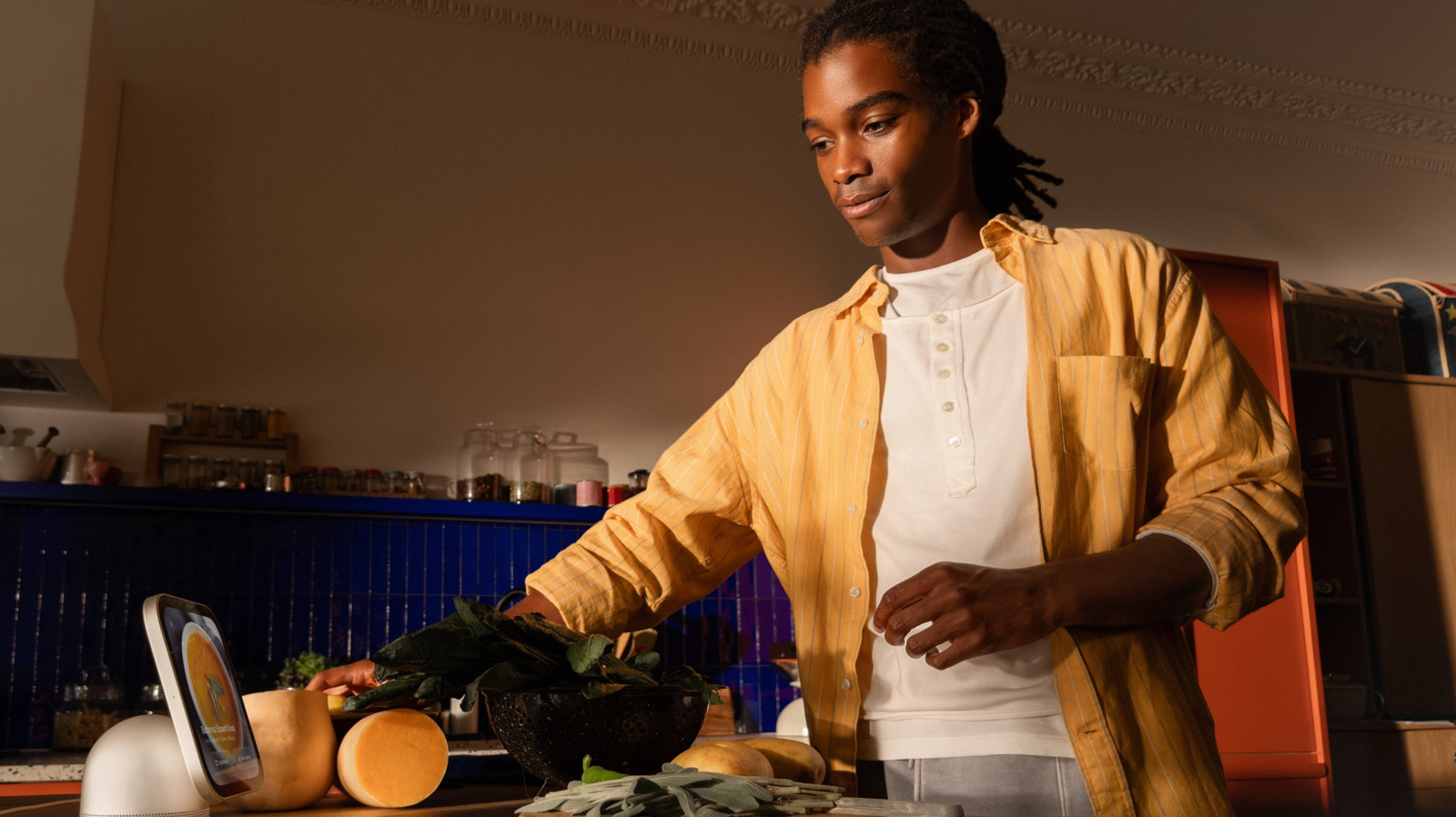
In comes the Apple HomeView, a versatile smart hub that allows you to manage your various apple products hands free. Released on November 13, 2026, the entertainment hub comes with a 7-inch Liquid Retina display and a bounty of Siri AI features. One of its most useful tool is its Start Cooking feature, which provides an easy-to-navigate recipe in Safari on your HomeView screen. Eliminating the need to constantly return to your iPhone when making a rice pilaf, the HomeView's smart feature integrations make your culinary creations easy and enjoyable.

Before diving into how the HomeView can facilitate your next meal, let's cover a quick prerequisite: your phone. Owning an Apple iPhone or iPad is essential to unlocking your HomeView's best features, as you can seamlessly handoff music, Safari searches, calendar reminders and FaceTime conversations to your smart hub.

In brief

Apple makes cooking a blast with this new tool on its smart display. In comes the Apple HomeView, a versatile smart hub that allows you to manage your various apple products hands free. Eliminating the need to constantly return to your iPhone when making a rice pilaf, the HomeView's smart feature integrations make your culinary creations easy and enjoyable. Before diving into how the HomeView can facilitate your next meal, let's cover a quick prerequisite: your phone.

This is the opening of the story, shared with credit to Engadget. The rest of the report — with every detail — continues on the publisher’s website.

Continue reading at Engadget ↗

Cookie settings

Choose which cookies we may use. You can change this at any time from Cookie settings in the footer. Details of each cookie are in the Cookie Policy.

Strictly necessary

Needed for sign-in, security, payments and remembering these choices. Always on.

Preferences

Remember settings such as dark mode.

Analytics & performance

Help us count visits, understand which pages, devices and countries our readers use, and measure how well the site performs – anonymous and aggregated.

Advertising & marketing

Lets advertising partners show and personalise adverts, measure impressions, clicks and visits, prevent ad fraud and pay us – this is how the free site is funded.

🔔 News notifications

Get headlines from NewsHub on this device — even when the site is closed.

You can switch this off at any time. Works on Android, Windows, Mac and Linux browsers; on iPhone/iPad add the site to your Home Screen first.