📰 Newspapers

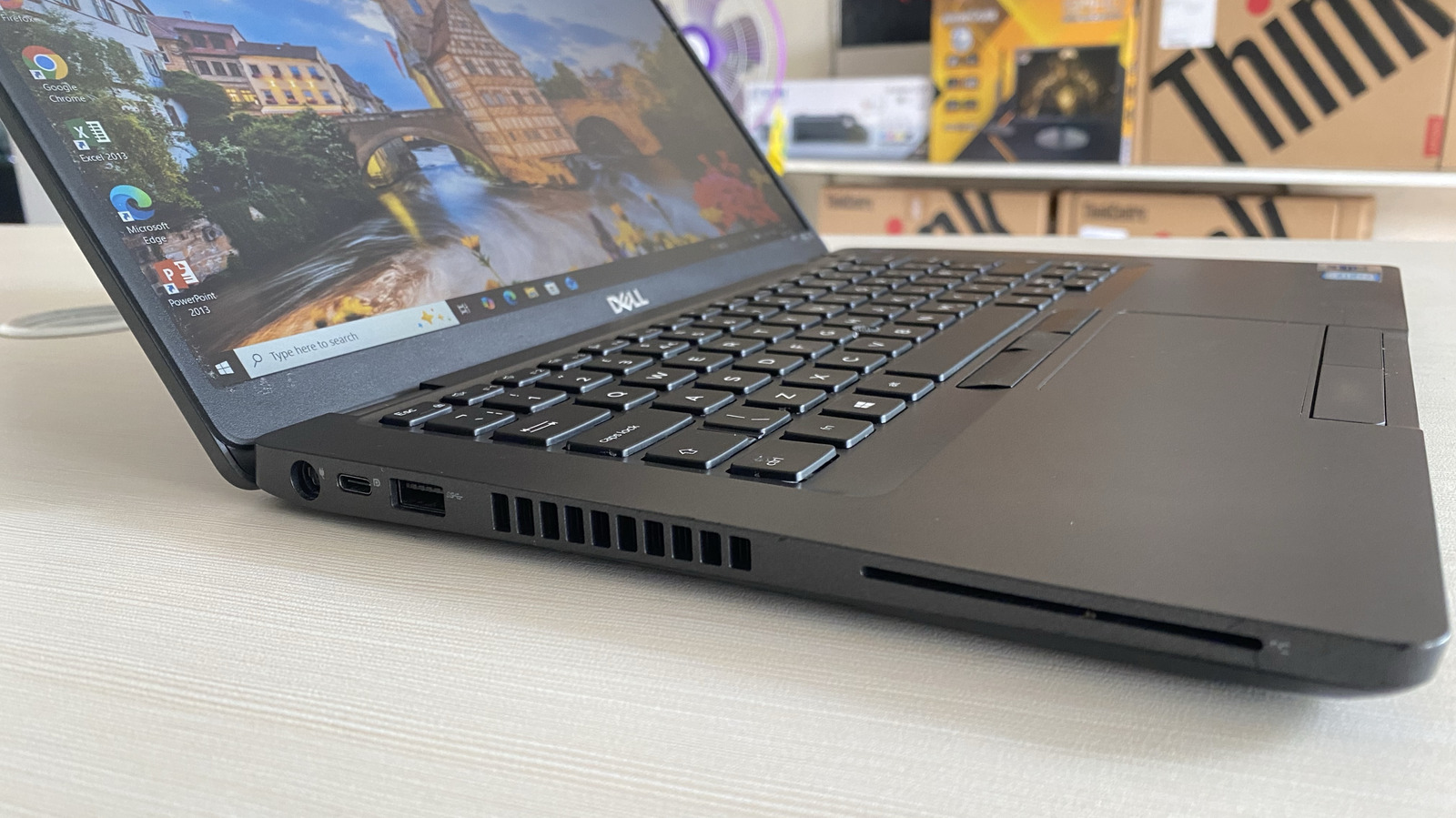
The purpose of the SC port on your old laptop

The purpose of the SC port on your old laptop

If you have a weird, credit-card-sized slot on your laptop, read on to find out what it's for and how it's used.

No, it can't process a credit card payment for an online purchase.

The laptop market is an interesting one, in that while there's certainly a compelling history of its competition with desktop PCs, in the end, these two categories diverged to meet different needs. More recently, the desktop PC market has been defined by prebuilt systems and custom builds focused on gaming and entertainment, but the laptop scene still feels very business-like.

One aspect of laptop design that has contributed to this feeling for decades now is the collection of unique features that have come and gone. In particular, the SC slot, also known as the smart card reader.

The SC port isn't likely to be on a laptop you walk out of Best Buy or Target with, but its use cases are often quite amusing for those who don't need one. If you do happen to have a laptop with an SC port, chances are you are a professional with an important job or bought something secondhand, leaving you wondering exactly what this unusual port can actually do.

A smart card reader does exactly what it sounds like. It's designed to read and interact with cards of various kinds — often the kind of security and ID badges you might see dangling from the lanyard of a corporate employee.…

In brief

No, it can't process a credit card payment for an online purchase. More recently, the desktop PC market has been defined by prebuilt systems and custom builds focused on gaming and entertainment, but the laptop scene still feels very business-like. If you do happen to have a laptop with an SC port, chances are you are a professional with an important job or bought something secondhand, leaving you wondering exactly what this unusual port can actually do. A smart card reader does exactly what it sounds like.

This is the opening of the story, shared with credit to Engadget. The rest of the report — with every detail — continues on the publisher’s website.

Continue reading at Engadget ↗

Cookie settings

Choose which cookies we may use. You can change this at any time from Cookie settings in the footer. Details of each cookie are in the Cookie Policy.

Strictly necessary

Needed for sign-in, security, payments and remembering these choices. Always on.

Preferences

Remember settings such as dark mode.

Analytics & performance

Help us count visits, understand which pages, devices and countries our readers use, and measure how well the site performs – anonymous and aggregated.

Advertising & marketing

Lets advertising partners show and personalise adverts, measure impressions, clicks and visits, prevent ad fraud and pay us – this is how the free site is funded.

🔔 News notifications

Get headlines from NewsHub on this device — even when the site is closed.

You can switch this off at any time. Works on Android, Windows, Mac and Linux browsers; on iPhone/iPad add the site to your Home Screen first.