📰 Newspapers

Google Finally Supports the Hands-Free Smart Lock Standard It Helped Build

Google Finally Supports the Hands-Free Smart Lock Standard It Helped Build

You can now unlock your door just by walking towards it (if you have the right smart home gear and the right Android phone in your pocket).

Congratulations to specific Google Pixel owners: Google announced this week it has finally added support for hands-free unlocking with compatible smart locks and Android phones. Google says the feature is available now in the Google Home app public beta and will be “rolling out to everyone over the coming weeks.”

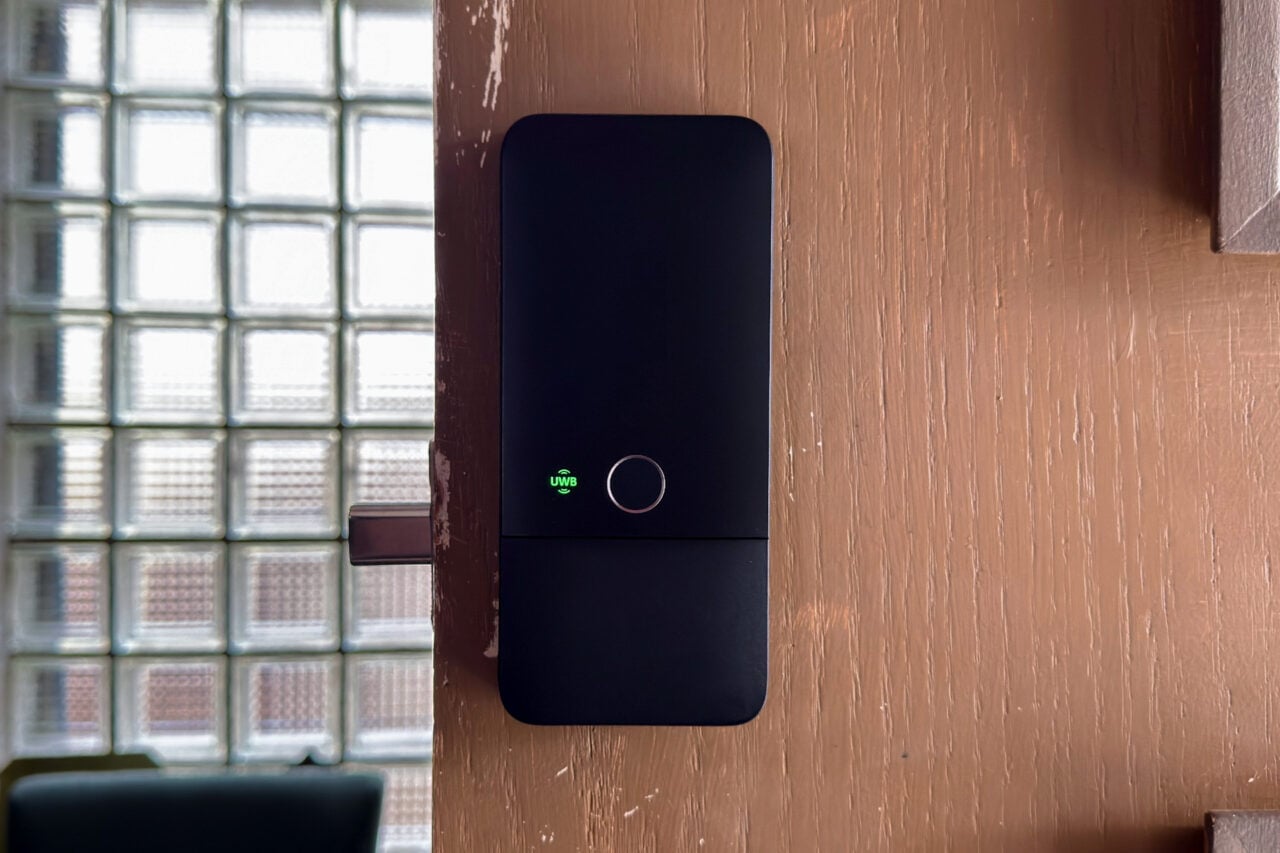
This “Unlock on Approach” feature uses your Android phone’s UWB radio and a relatively new smart lock standard called Aliro. It does what it says: with the right combo of smart home devices and smartphone, your smart lock will automatically unlock as you approach it, as long as you have an Aliro UWB-compatible device on your person. The standard was developed by the Connectivity Standards Alliance, which created the universal smart home standard Matter, which Google is a part of. You can check out my experiences using it in my reviews of the U400 and the Schlage Sense Pro, but to summarize: it kicks ass, and I never want to go back.

To use Unlock on Approach, you’ll need a compatible smart lock, an “Aliro Ultra-Wideband (UWB) compatible Android phone,” and a Thread border router such as Nest Hub (2nd gen), Nest Hub Max, Nest Wifi Pro, or Google TV Streamer. You’ll also want to make sure you’ve updated the Google Home and Google Wallet apps.


In brief

Congratulations to specific Google Pixel owners: Google announced this week it has finally added support for hands-free unlocking with compatible smart locks and Android phones. This “Unlock on Approach” feature uses your Android phone’s UWB radio and a relatively new smart lock standard called Aliro. You’ll also want to make sure you’ve updated the Google Home and Google Wallet apps.

This is the opening of the story, shared with credit to Gizmodo. The rest of the report — with every detail — continues on the publisher’s website.

Continue reading at Gizmodo ↗

Cookie settings

Choose which cookies we may use. You can change this at any time from Cookie settings in the footer. Details of each cookie are in the Cookie Policy.

Strictly necessary

Needed for sign-in, security, payments and remembering these choices. Always on.

Preferences

Remember settings such as dark mode.

Analytics & performance

Help us count visits, understand which pages, devices and countries our readers use, and measure how well the site performs – anonymous and aggregated.

Advertising & marketing

Lets advertising partners show and personalise adverts, measure impressions, clicks and visits, prevent ad fraud and pay us – this is how the free site is funded.

🔔 News notifications

Get headlines from NewsHub on this device — even when the site is closed.

You can switch this off at any time. Works on Android, Windows, Mac and Linux browsers; on iPhone/iPad add the site to your Home Screen first.