📰 Newspapers

This underrated Google Health app feature can make food tracking less annoying

This underrated Google Health app feature can make food tracking less annoying

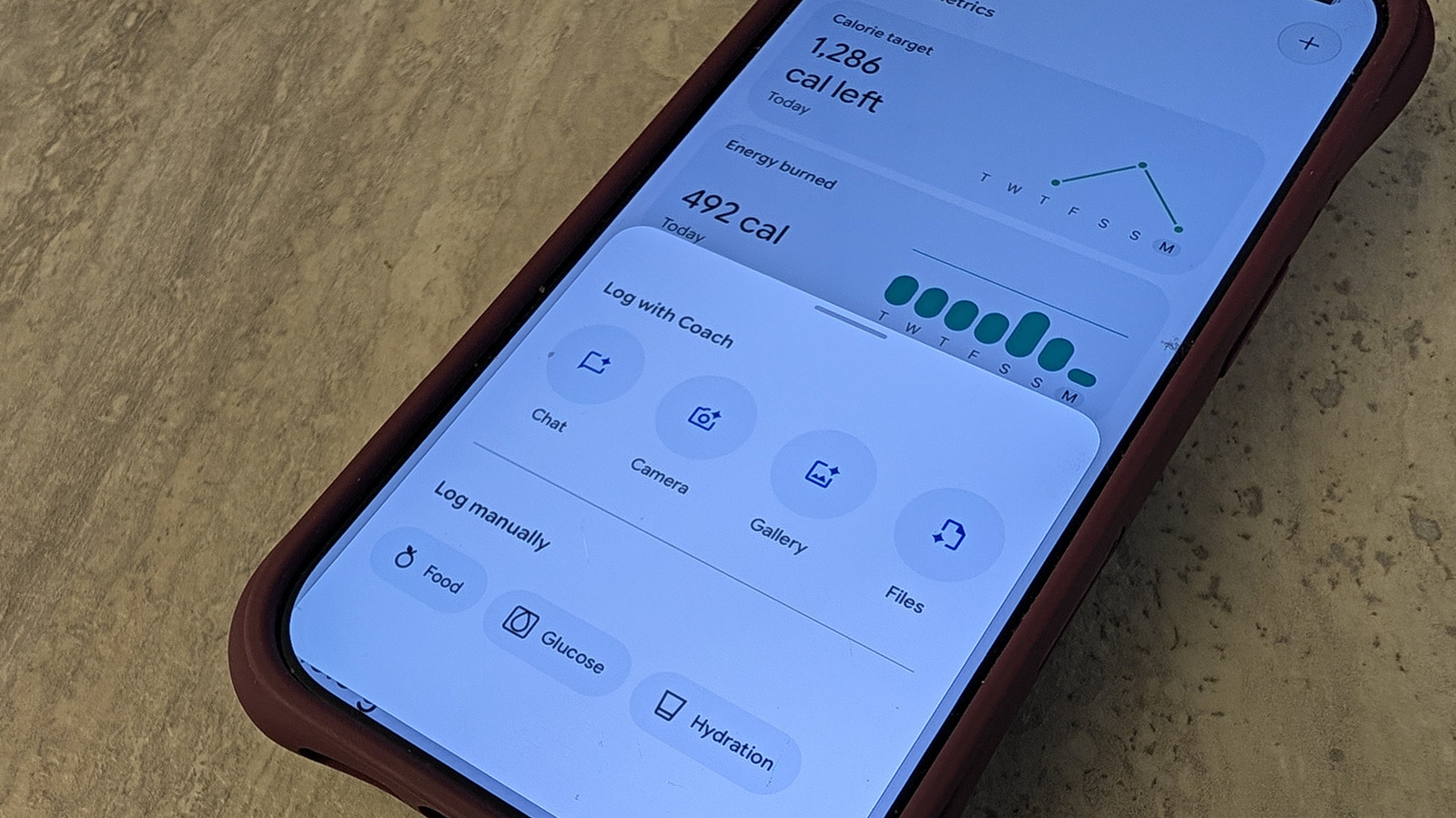
There's a suite of features with Google's Health app, but you've likely overlooked the intuitive food tracking function that helps keep your diet in check.

Get a handle on how your diet is affecting your overall health.

For those keeping a close eye on their health goals, the Google Health app pairs seamlessly with Fitbit trackers and Google Pixel smartwatches. The Google Health Premium subscription tier offers many upgrades to really hone in on daily intake and activity goals, such as food and hydration tracking.

It's not necessarily a unique feature. Many fitness tracker companion apps offer nutrition logging, including Oura and Garmin. There are also popular third-party apps like MyFitnessPal that have food logging capabilities. But Google Health Premium's version is incredibly intuitive, versatile and will actually make you more inclined to use it.

We live in a day and age where everything is all about protein. Are you getting enough protein? Does this yogurt, bread or bar have sufficient protein to help you meet your daily goals? Not only that, but we're also counting carbs, calories and fat, and trying to calculate whether we're eating in a deficit and meeting or exceeding goals. This sorely underrated feature of the Google Health app is one of the best upgrades with Google Health Premium that you probably aren't using yet.

Once you sign up for Google Health Premium, available at $9.99 per month or at no extra charge through a Google One subscription, it unlocks…

In brief

Get a handle on how your diet is affecting your overall health. For those keeping a close eye on their health goals, the Google Health app pairs seamlessly with Fitbit trackers and Google Pixel smartwatches. This sorely underrated feature of the Google Health app is one of the best upgrades with Google Health Premium that you probably aren't using yet.

This is the opening of the story, shared with credit to Engadget. The rest of the report — with every detail — continues on the publisher’s website.

Continue reading at Engadget ↗

Cookie settings

Choose which cookies we may use. You can change this at any time from Cookie settings in the footer. Details of each cookie are in the Cookie Policy.

Strictly necessary

Needed for sign-in, security, payments and remembering these choices. Always on.

Preferences

Remember settings such as dark mode.

Analytics & performance

Help us count visits, understand which pages, devices and countries our readers use, and measure how well the site performs – anonymous and aggregated.

Advertising & marketing

Lets advertising partners show and personalise adverts, measure impressions, clicks and visits, prevent ad fraud and pay us – this is how the free site is funded.

🔔 News notifications

Get headlines from NewsHub on this device — even when the site is closed.

You can switch this off at any time. Works on Android, Windows, Mac and Linux browsers; on iPhone/iPad add the site to your Home Screen first.