📰 Newspapers

Why Microsoft is ditching a few of its 365 companion apps in 2026

Why Microsoft is ditching a few of its 365 companion apps in 2026

These apps are being shut down after just 14 months.

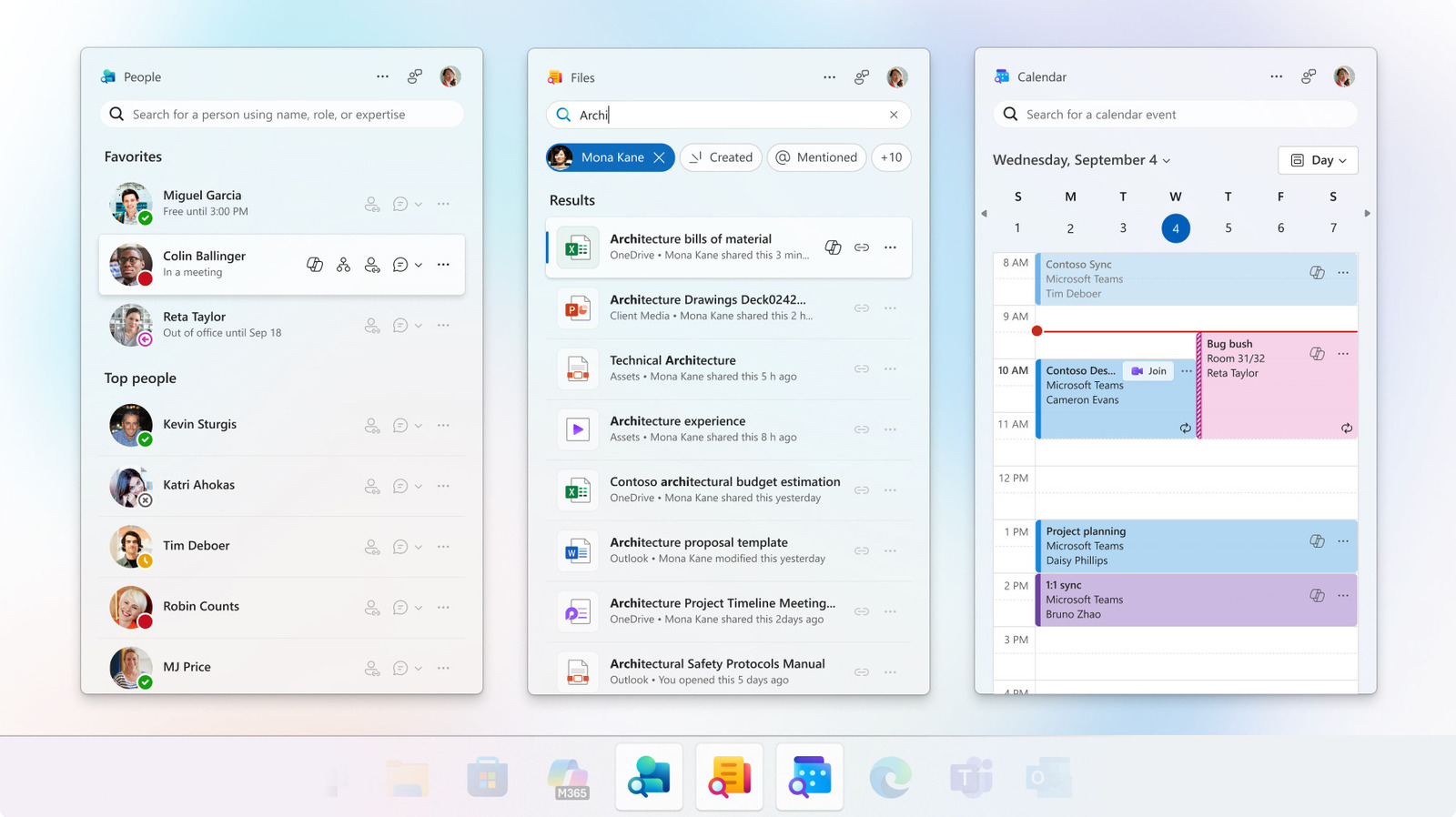
Microsoft is sunsetting three Office taskbar apps just 14 months after their initial release. The People, Files and Calendar Companion apps, which Microsoft designed to increase user productivity and focus, will no longer work as of December 16.

These three taskbar tools were primarily for those using Windows 11 on employer-managed devices. These companion apps weren't added to all versions of Windows, so if you have Windows 11 Home, for example, you likely never had these apps in the first place. Microsoft automatically added the companion apps for those with commercial Microsoft 365 and Office 365 licenses. So if you see these apps on your computer, it's time to remove them and use existing alternatives instead.

In its support post announcing the companion app retirement, Microsoft didn't share why it made this decision. But it's possible the taskbar apps simply didn't get enough active users for Microsoft to continue to maintain them. After all, these apps are redundant to existing Windows tools, so some users may have not found them necessary. Others might have seen the apps as another example of Windows bloatware and removed them from company devices.

The People companion app was for finding people at your company or in your contacts quickly.

In brief

These apps are being shut down after just 14 months. Microsoft is sunsetting three Office taskbar apps just 14 months after their initial release. Microsoft automatically added the companion apps for those with commercial Microsoft 365 and Office 365 licenses. Others might have seen the apps as another example of Windows bloatware and removed them from company devices.

This is the opening of the story, shared with credit to Engadget. The rest of the report — with every detail — continues on the publisher’s website.

Continue reading at Engadget ↗

Cookie settings

Choose which cookies we may use. You can change this at any time from Cookie settings in the footer. Details of each cookie are in the Cookie Policy.

Strictly necessary

Needed for sign-in, security, payments and remembering these choices. Always on.

Preferences

Remember settings such as dark mode.

Analytics & performance

Help us count visits, understand which pages, devices and countries our readers use, and measure how well the site performs – anonymous and aggregated.

Advertising & marketing

Lets advertising partners show and personalise adverts, measure impressions, clicks and visits, prevent ad fraud and pay us – this is how the free site is funded.

🔔 News notifications

Get headlines from NewsHub on this device — even when the site is closed.

You can switch this off at any time. Works on Android, Windows, Mac and Linux browsers; on iPhone/iPad add the site to your Home Screen first.