📰 Newspapers

The dangers of using your old, damaged charging cables

The dangers of using your old, damaged charging cables

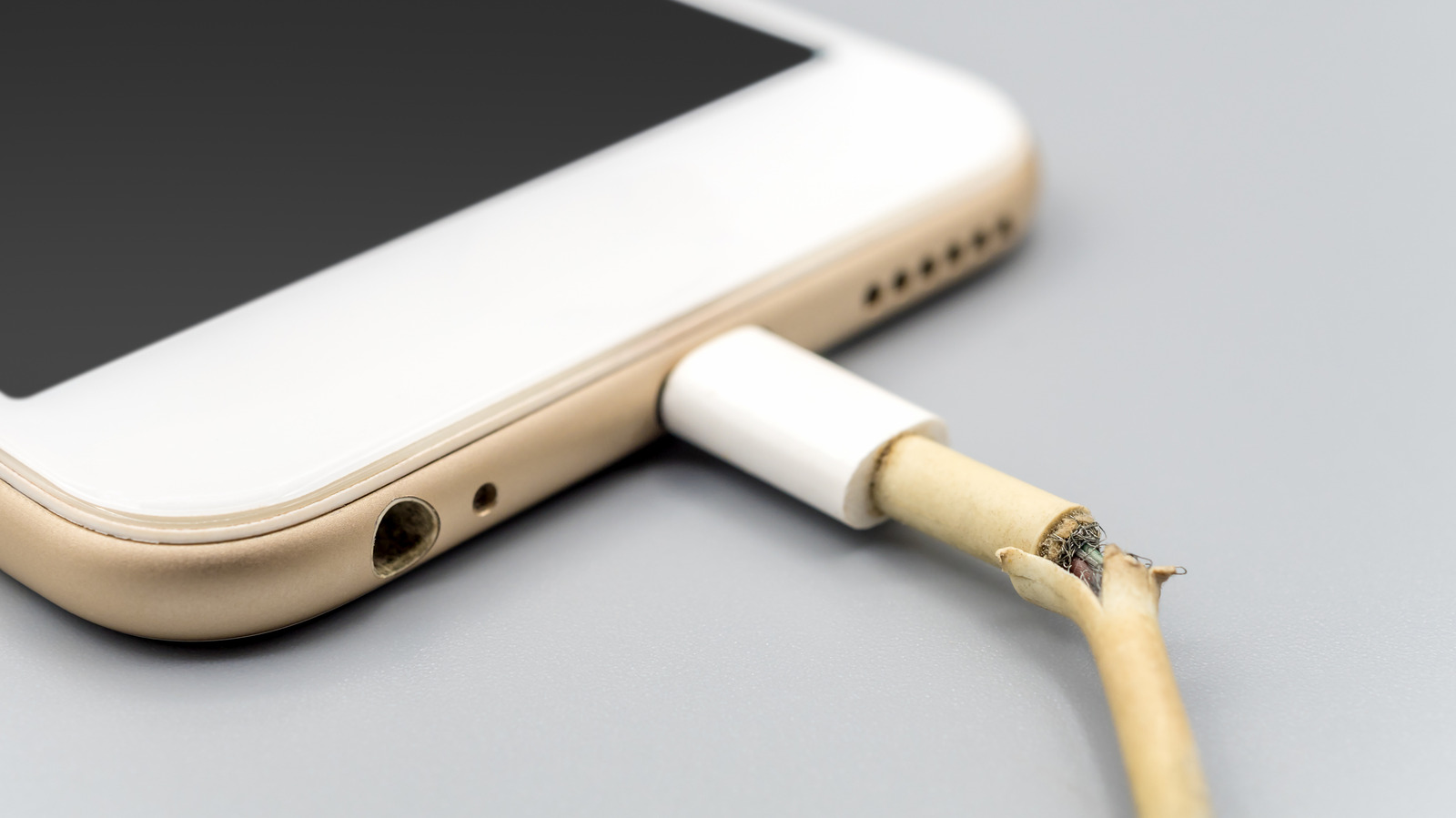
Frayed charging cables carry huge risks, from electrical shock to starting a fire. It's not worth the risk of using them.

Don't let a damaged $5 cable cost you thousands in fire damage or medical bills.

A charging cable has two important jobs: keep your devices charged, and do so without causing you or the item any damage. You can't expect a cable to last forever, though. After being plugged in and disconnected countless times, it's going to degrade, bend, break down, or split apart. The end result is an unsafe cable that will need replacing.

If you don't replace a compromised charging cable, you're risking damage to your device or being burnt yourself every time you plug it in. For the sake of a few dollars, you're better off buying a new one than persevering with a cable that should have been recycled long ago.

Pulling a charging cable out by the wire puts strain on the connection behind the plug. And you're going to bend it sharply in roughly the same places, especially at the two ends. This wears down the fine strands of metal inside before there's any sign of outer damage.

The funny part is that even if the cable is damaged inside, it can still work, although the connection might keep cutting out. Even if it's to the point where you see a lot of physical damage, it may be able to provide a charge.
In brief

Don't let a damaged $5 cable cost you thousands in fire damage or medical bills. A charging cable has two important jobs: keep your devices charged, and do so without causing you or the item any damage. If you don't replace a compromised charging cable, you're risking damage to your device or being burnt yourself every time you plug it in. Pulling a charging cable out by the wire puts strain on the connection behind the plug.

This is the opening of the story, shared with credit to Engadget. The rest of the report — with every detail — continues on the publisher’s website.

Continue reading at Engadget ↗

Cookie settings

Choose which cookies we may use. You can change this at any time from Cookie settings in the footer. Details of each cookie are in the Cookie Policy.

Strictly necessary

Needed for sign-in, security, payments and remembering these choices. Always on.

Preferences

Remember settings such as dark mode.

Analytics & performance

Help us count visits, understand which pages, devices and countries our readers use, and measure how well the site performs – anonymous and aggregated.

Advertising & marketing

Lets advertising partners show and personalise adverts, measure impressions, clicks and visits, prevent ad fraud and pay us – this is how the free site is funded.

🔔 News notifications

Get headlines from NewsHub on this device — even when the site is closed.

You can switch this off at any time. Works on Android, Windows, Mac and Linux browsers; on iPhone/iPad add the site to your Home Screen first.