📰 Newspapers

HomeView vs. Echo Show: What's the difference between Apple's and Amazon's smart displays?

HomeView vs. Echo Show: What's the difference between Apple's and Amazon's smart displays?

Both the HomeView and Echo Show put an AI assistant in your home, but they work in different ways.

Both put an AI assistant in your home, but they work in different ways.

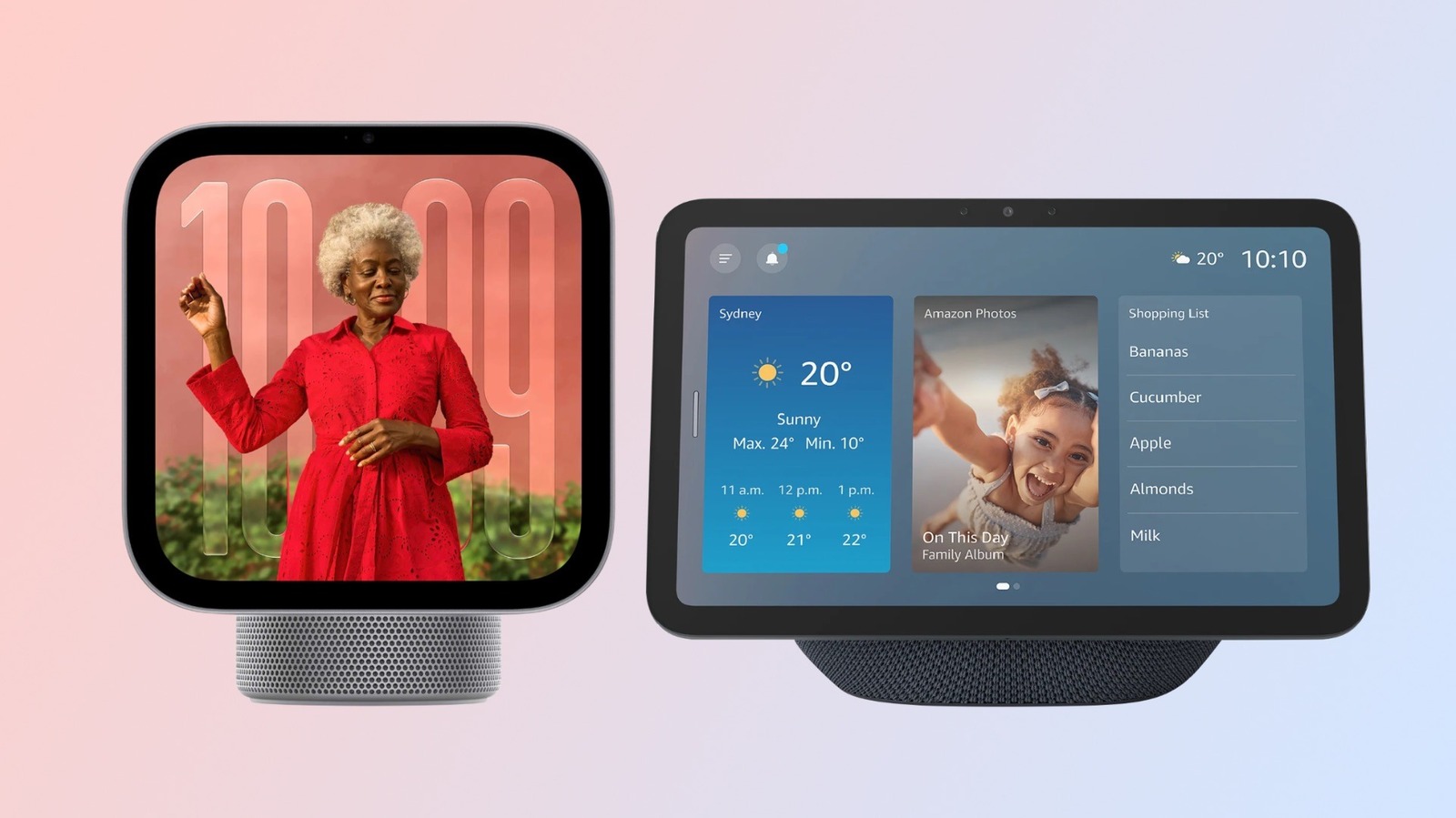
Amazon and Google have long been the top choices when it comes to smart displays, but Apple has now joined the race with HomeView. For $299, Apple offers a touchscreen and built-in speakers with an experience optimized for those deeply immersed in the company's ecosystem — it includes Messages, Apple Music and, of course, built-in HomeKit. It's impossible not to compare it to Amazon's Echo Show, which recently added a new 16-inch model to its lineup. But even though both are smart displays, they work in very different ways — and choosing between them ultimately comes down to which ecosystem you have at home.

The differences start with size: While the HomeView is a new product and is available in a single version with a 7-inch square screen, Amazon offers a range of Echo Show devices with different screen sizes. The entry-level Echo Show has a 5.5-inch screen and costs $99 — but if you want to go bigger, there's even an Echo Show with a massive 21-inch screen for $499. They all share mostly the same features, although the 16-inch and 21-inch models can run Fire TV apps.

Amazon's Echo Show 8 is the one that can be easily compared to HomeView, with an 8.7-inch…
In brief

Both put an AI assistant in your home, but they work in different ways. The entry-level Echo Show has a 5.5-inch screen and costs $99 — but if you want to go bigger, there's even an Echo Show with a massive 21-inch screen for $499. Amazon's Echo Show 8 is the one that can be easily compared to HomeView, with an 8.7-inch…
This is the opening of the story, shared with credit to Engadget. The rest of the report — with every detail — continues on the publisher’s website.

Continue reading at Engadget ↗

Cookie settings

Choose which cookies we may use. You can change this at any time from Cookie settings in the footer. Details of each cookie are in the Cookie Policy.

Strictly necessary

Needed for sign-in, security, payments and remembering these choices. Always on.

Preferences

Remember settings such as dark mode.

Analytics & performance

Help us count visits, understand which pages, devices and countries our readers use, and measure how well the site performs – anonymous and aggregated.

Advertising & marketing

Lets advertising partners show and personalise adverts, measure impressions, clicks and visits, prevent ad fraud and pay us – this is how the free site is funded.

🔔 News notifications

Get headlines from NewsHub on this device — even when the site is closed.

You can switch this off at any time. Works on Android, Windows, Mac and Linux browsers; on iPhone/iPad add the site to your Home Screen first.