iCloud Private Relay and VPNs protect your browsing in different ways.
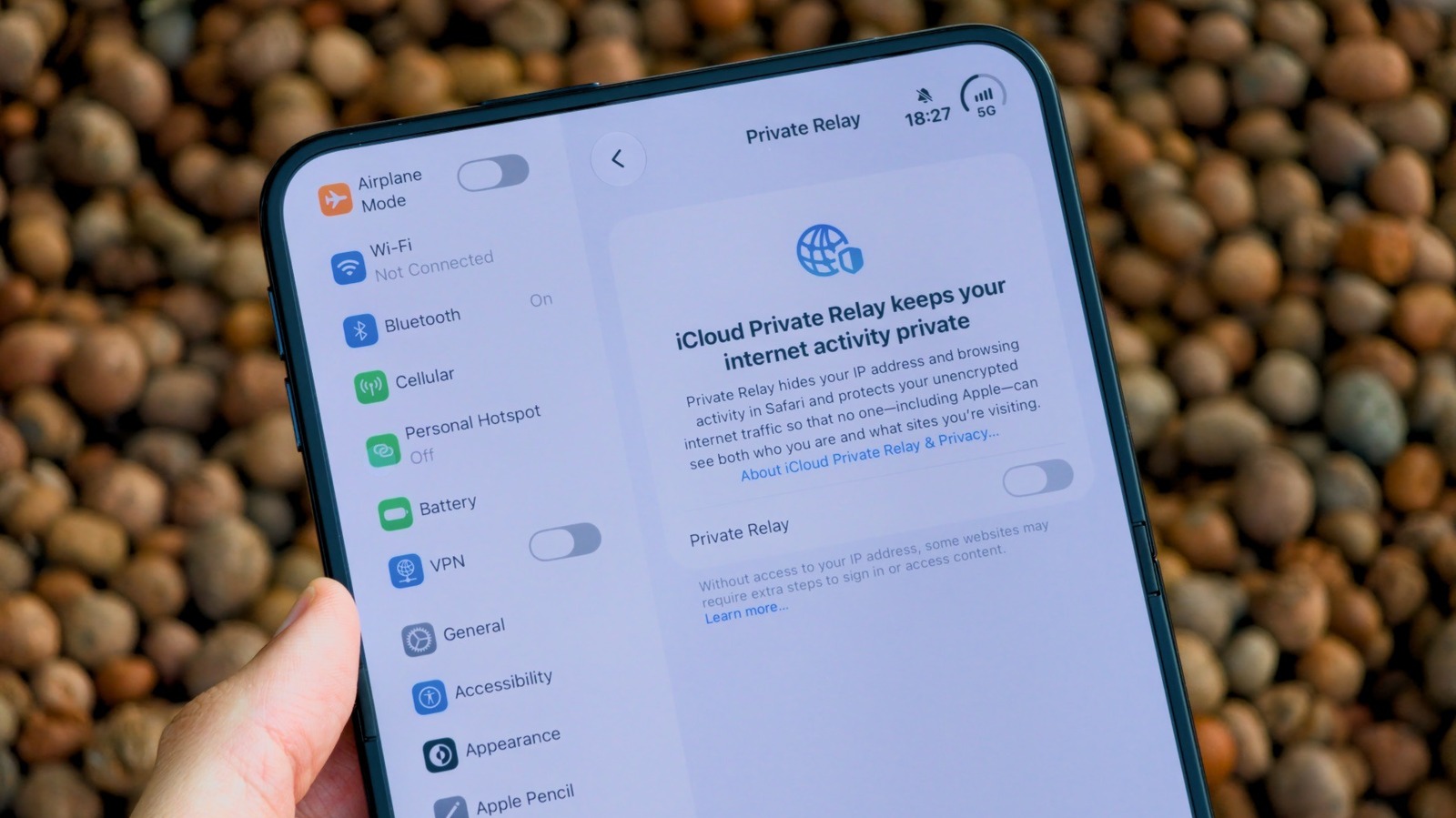
Apple's Private Relay is one of the extras you get by subscribing to an iCloud+ plan, alongside extra storage and other features like Hide My Email. At first glance, iCloud Private Relay looks like an Apple VPN, as it hides your IP address from the websites you visit to keep your browsing data private. But Private Relay doesn't offer the same level of protection as a VPN; it doesn't encrypt everything and, more importantly, only works in Safari.
If you already subscribe to iCloud+ or pay for an Apple One plan, then you might as well use it — at least, if you use Safari — but you may still want a VPN if you're really concerned about your privacy. To use Private Relay, open the Settings app on your Apple device and tap your Apple Account at the top of the screen. Next, go to the iCloud menu and scroll until you see iCloud+ Features. You'll find Private Relay there. Tap it and flip the switch to turn it on.
Think of iCloud Private Relay as two separate layers that protect your web browsing. Apple runs the first layer and sees your original IP address, but not the website you're visiting.