With all these useful talents provided by your confusing little Globe key, perhaps it’s time you began to use it as much as I do?
Do you ignore the Globe key on the M6 MacBook? Or are you sticking with your M4 and M5 model? Maybe you've learned to tap it sharply once to access the Emoji on your Mac while typing. I use it all the time and wanted to explain why.
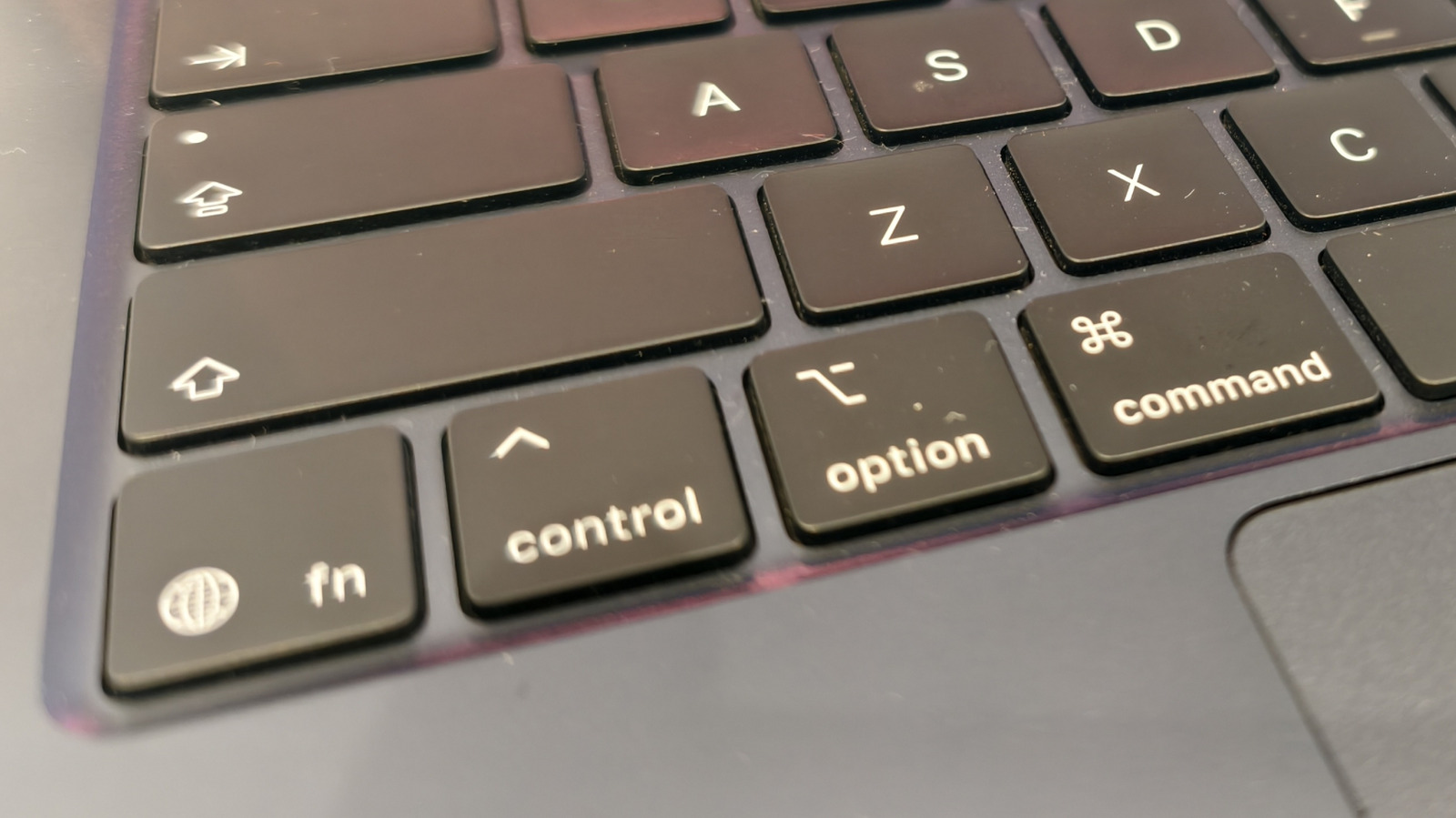
While it's not on most third-party keyboards, the Globe key is a fixture on MacBooks such as the latest and greatest M6 and other Apple keyboards. It doubles as the Function (Fn) key, which is why it carries both a globe icon and the letters "Fn." It still works as a Function key: hold it while pressing one of the "F" keys along the top row of the keyboard to trigger their actions, which can include shortcuts on your Mac. Doing so overrides any F key's default system function, such as brightness, volume controls and Spotlight search. In this case, Globe/Fn acts as a modifier key.
If you use F-keys extensively in your work (I'm looking at you, programmers and gamers), you can make them the default behavior. Open Settings > Keyboard and toggle Use F1, F2, etc. keys as standard function keys to On.