📰 Newspapers

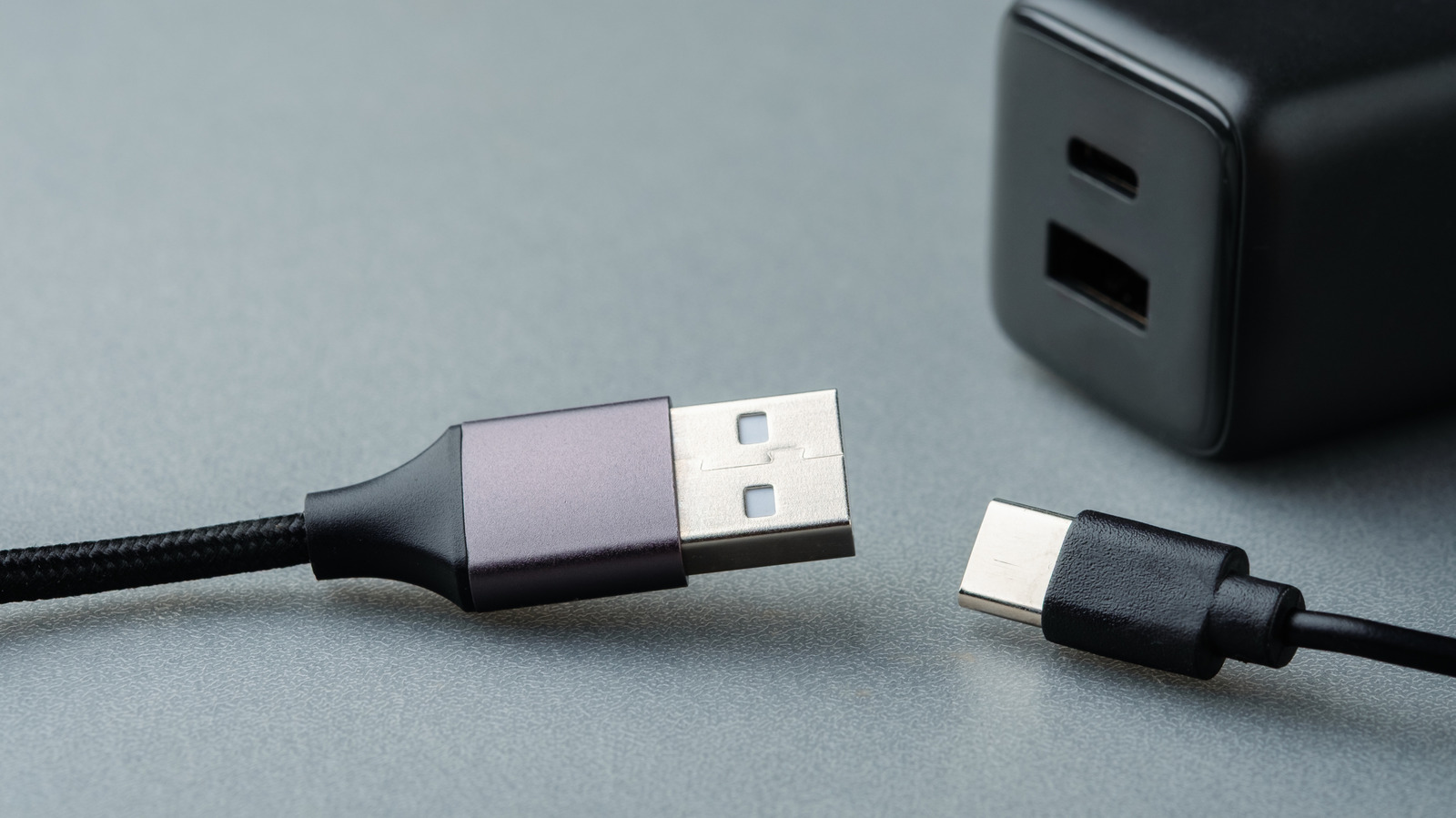
Why do some USB connectors have those 2 square holes?

Why do some USB connectors have those 2 square holes?

Some USB connectors, including USB-A, feature two small holes that have an important purpose. Other USB connectors lack these holes for a reason, too.

Those square holes on USB-A connectors serve an important purpose.

USB-C ports might be the de facto port today when it comes to charging and data transfer, but that wasn't always the case. Before consumers got the current reversible design, the original Universal Serial Bus, or USB, was designed in the late '90s by Intel, Microsoft, NEC (Nippon Electric Company), IBM, Compaq, DEC (Digital Equipment Corporation) and Nortel.

The USB Type-A connector was designed to simplify the task of interfacing with plug-and-play peripherals like keyboards and printers. Broad compatibility meant that users could minimize their cable collection and rely on a standard port for convenience. Over the years, new standards like USB 4 brought dramatic improvements in power delivery and data transfer speeds.

Most male USB-A connectors have two square-shaped holes. People rarely think about this design feature when they plug in everything from cables to storage devices, but there's more to them than mere aesthetic value. Put simply, they ensure the connector stays plugged in. Here's how this engineering decision plays into consumer technology's once-ubiquitous standard.

Peer into a female USB-A port and you'll spot spring-loaded retention clips meant to snap into the male connector. The square holes are a part of this locking mechanism, ensuring a secure connection.


In brief

Those square holes on USB-A connectors serve an important purpose. Broad compatibility meant that users could minimize their cable collection and rely on a standard port for convenience. Most male USB-A connectors have two square-shaped holes. The square holes are a part of this locking mechanism, ensuring a secure connection.

This is the opening of the story, shared with credit to Engadget. The rest of the report — with every detail — continues on the publisher’s website.

Continue reading at Engadget ↗

Cookie settings

Choose which cookies we may use. You can change this at any time from Cookie settings in the footer. Details of each cookie are in the Cookie Policy.

Strictly necessary

Needed for sign-in, security, payments and remembering these choices. Always on.

Preferences

Remember settings such as dark mode.

Analytics & performance

Help us count visits, understand which pages, devices and countries our readers use, and measure how well the site performs – anonymous and aggregated.

Advertising & marketing

Lets advertising partners show and personalise adverts, measure impressions, clicks and visits, prevent ad fraud and pay us – this is how the free site is funded.

🔔 News notifications

Get headlines from NewsHub on this device — even when the site is closed.

You can switch this off at any time. Works on Android, Windows, Mac and Linux browsers; on iPhone/iPad add the site to your Home Screen first.