📰 Newspapers

Apple's new research app is designed to make AI health tools more user-friendly

Apple's new research app is designed to make AI health tools more user-friendly

Apple has unveiled a new research study with the aim of learning how people use AI health tools.

It will allow users to ask health questions and rate the responses.

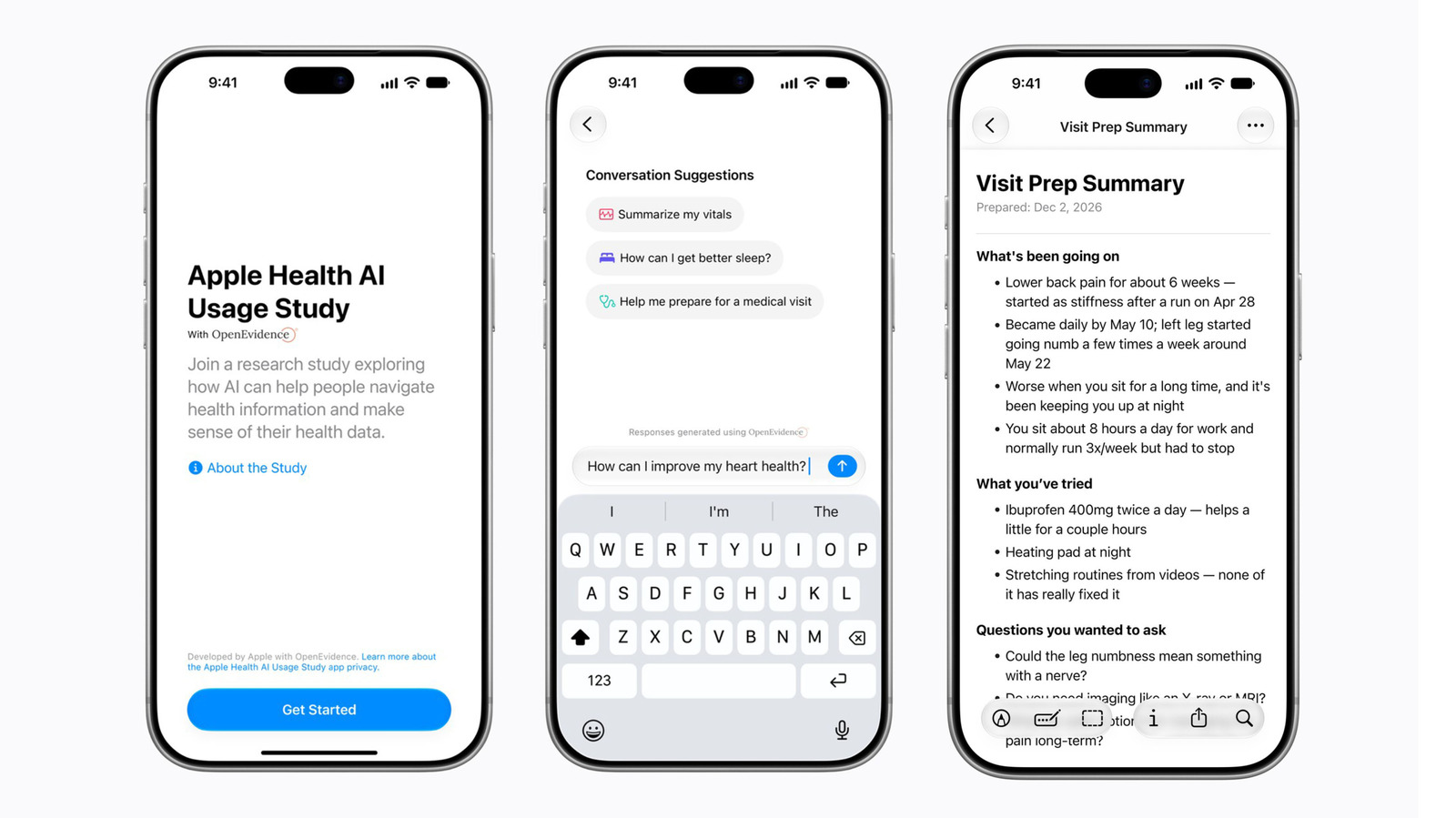
Apple has unveiled a new research study with the aim of learning how people use AI health tools in order to make them more effective and user-friendly. The company is launching the Health AI Usage Study in conjunction with OpenEvidence, a clinical AI platform used by health professionals that draws medical data from sources like The New England Journal of Medicine.

A key part of the research is a new app now available for download, with Apple aiming to have up to 200,000 participants. Users must live in the US and be 21 or older, and have an iPhone 15 Pro or later model running iOS 26 and up. They can choose to share (or not) Apple HealthKit data, including activity levels, sleep quality and lab results, for extra context around their health.

Participants will use the app to ask medical questions via text-based prompts like "how can I improve my heart health," according to the app's screen shots. They'll then receive non-jargony responses with links to peer-reviewed clinical sources. Apple's goal is to use the data to create AI health tools that deliver relevant, easy-to-understand and actionable health information.

Apple notes that the app is not integrated with Siri or Apple Intelligence, and said that participant data…

In brief

It will allow users to ask health questions and rate the responses. Apple has unveiled a new research study with the aim of learning how people use AI health tools in order to make them more effective and user-friendly. Apple's goal is to use the data to create AI health tools that deliver relevant, easy-to-understand and actionable health information.

This is the opening of the story, shared with credit to Engadget. The rest of the report — with every detail — continues on the publisher’s website.

Continue reading at Engadget ↗

Cookie settings

Choose which cookies we may use. You can change this at any time from Cookie settings in the footer. Details of each cookie are in the Cookie Policy.

Strictly necessary

Needed for sign-in, security, payments and remembering these choices. Always on.

Preferences

Remember settings such as dark mode.

Analytics & performance

Help us count visits, understand which pages, devices and countries our readers use, and measure how well the site performs – anonymous and aggregated.

Advertising & marketing

Lets advertising partners show and personalise adverts, measure impressions, clicks and visits, prevent ad fraud and pay us – this is how the free site is funded.

🔔 News notifications

Get headlines from NewsHub on this device — even when the site is closed.

You can switch this off at any time. Works on Android, Windows, Mac and Linux browsers; on iPhone/iPad add the site to your Home Screen first.