📰 Newspapers

This GTA 6 fast travel trick comes at a price

This GTA 6 fast travel trick comes at a price

There are no shortage of travel options in GTA 6, but which one gets you there the quickest?

With Grand Theft Auto 6, players can once again explore Vice City—only this time, the city is part of the much larger fictional state of Leonida. It's no surprise that the GTA 6 map dwarfs the map of GTA Vice City, but it's also estimated to be roughly twice the size of GTA 5's already impressive open world. This means you'll be driving around quite a lot.

The first few hours of the game are spent in the Key Lento region, but even this relatively small part of the map feels enormous. New regions in different counties are unlocked as the game progresses. While driving for 30 minutes from one end of the map to the other is always a fun option, GTA 6 lets you fast travel if you want to shave time off your journeys and reach your objectives faster. Unlike some games that let you open the map and instantly teleport to a discovered location, Rockstar makes you work a little for it.

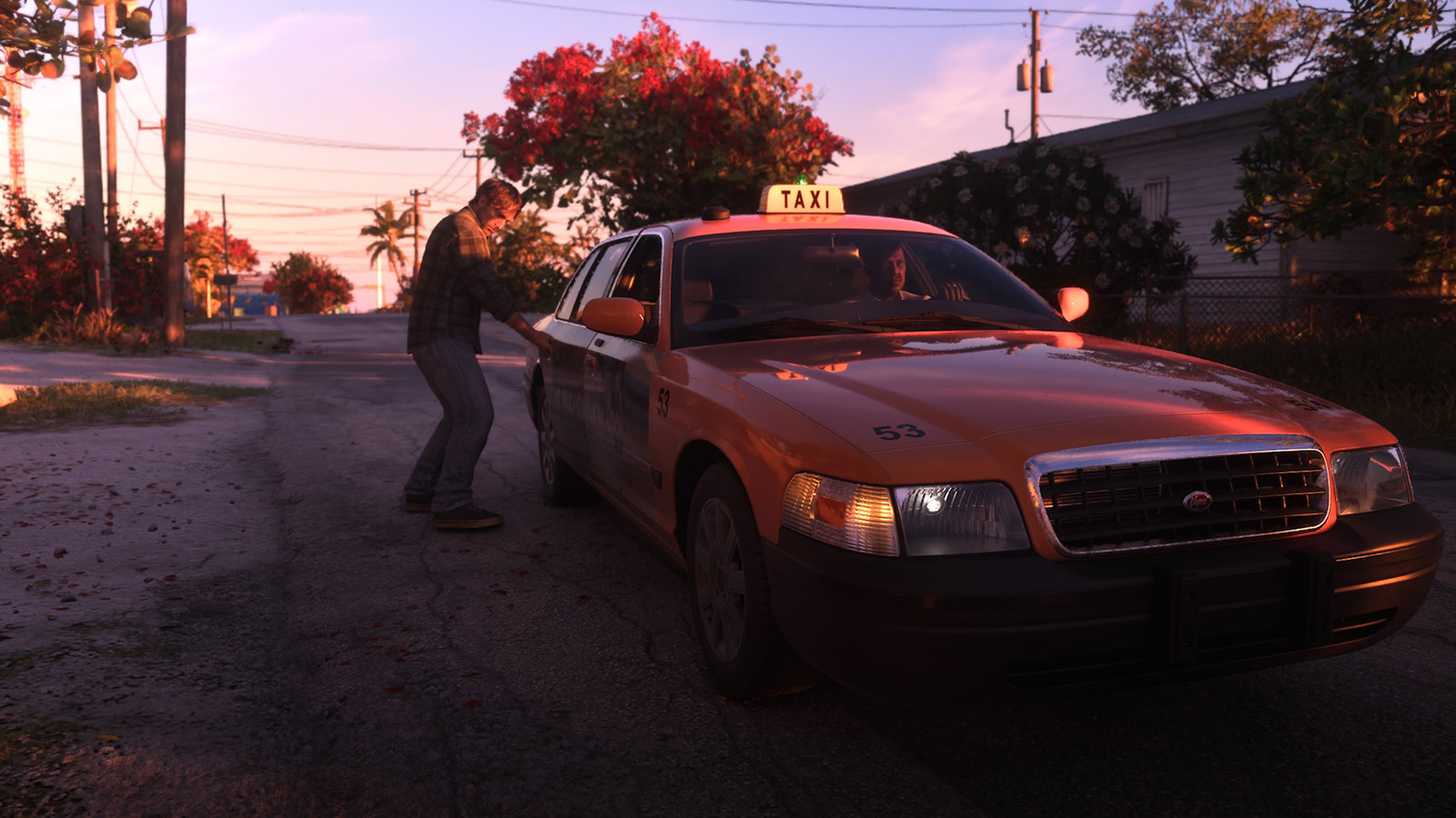
The easiest way to get started with fast travel is to order a taxi. Press the up button on your D-pad to bring up the phone. Navigate to Contacts > All Contacts and call Paradise Taxi. A cab should arrive at your location in a few seconds.

In brief

With Grand Theft Auto 6, players can once again explore Vice City—only this time, the city is part of the much larger fictional state of Leonida. While driving for 30 minutes from one end of the map to the other is always a fun option, GTA 6 lets you fast travel if you want to shave time off your journeys and reach your objectives faster. The easiest way to get started with fast travel is to order a taxi. Navigate to Contacts > All Contacts and call Paradise Taxi.

This is the opening of the story, shared with credit to Engadget. The rest of the report — with every detail — continues on the publisher’s website.

Continue reading at Engadget ↗

Cookie settings

Choose which cookies we may use. You can change this at any time from Cookie settings in the footer. Details of each cookie are in the Cookie Policy.

Strictly necessary

Needed for sign-in, security, payments and remembering these choices. Always on.

Preferences

Remember settings such as dark mode.

Analytics & performance

Help us count visits, understand which pages, devices and countries our readers use, and measure how well the site performs – anonymous and aggregated.

Advertising & marketing

Lets advertising partners show and personalise adverts, measure impressions, clicks and visits, prevent ad fraud and pay us – this is how the free site is funded.

🔔 News notifications

Get headlines from NewsHub on this device — even when the site is closed.

You can switch this off at any time. Works on Android, Windows, Mac and Linux browsers; on iPhone/iPad add the site to your Home Screen first.