📰 Newspapers

Signal now blocks screenshots by default to stymie AI agents

Signal now blocks screenshots by default to stymie AI agents

It describes the fix as incomplete and calls for a simple way for developers to opt out of AI snooping.

The company is calling for a simple way for developers to opt out of AI snooping.

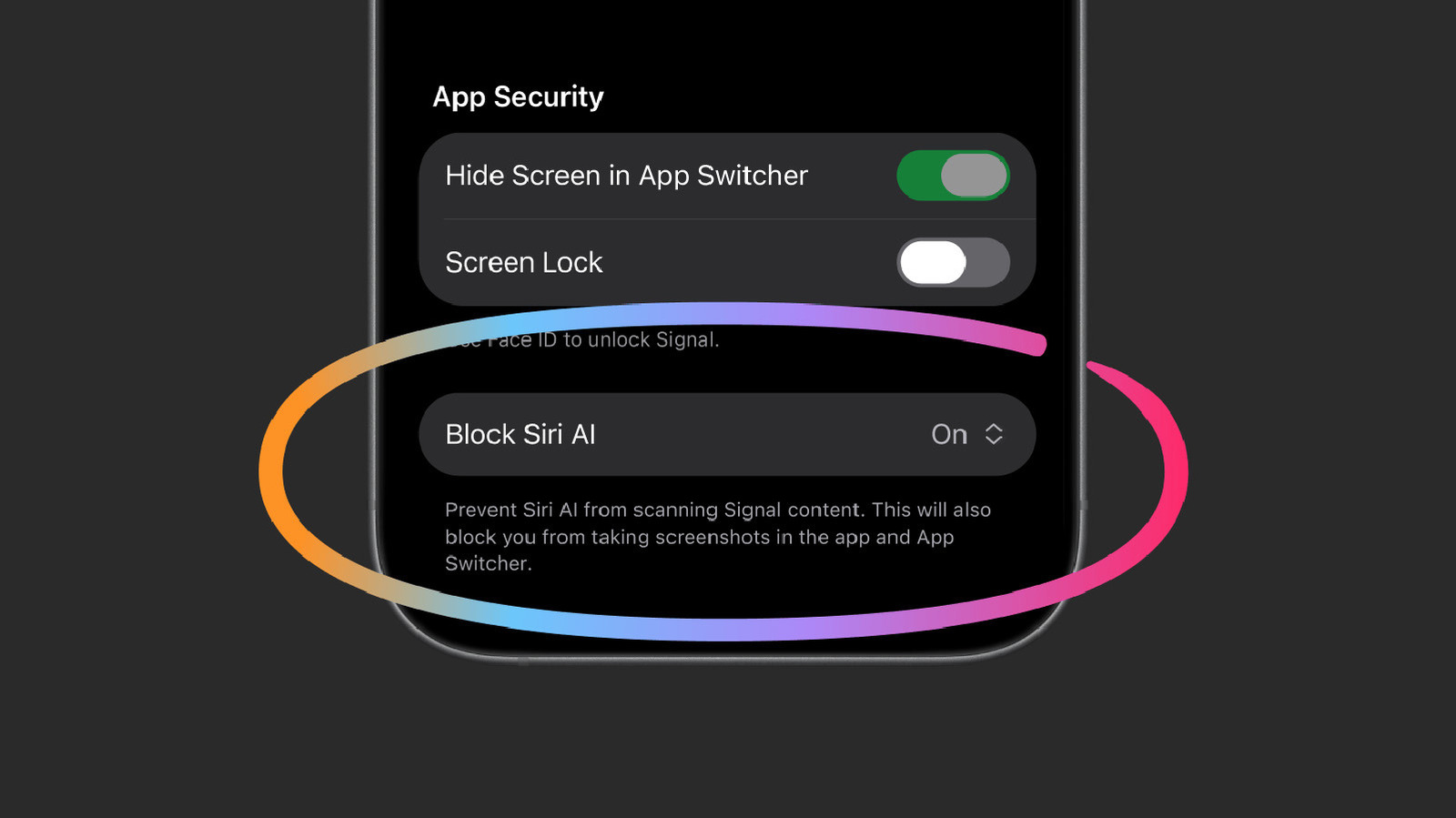
Signal views AI agents built into phones as an "existential threat," and it's acting accordingly. The encrypted messaging app said Friday that it will block screenshots by default on iOS 27, and on Android when AI assistants try to capture the screen.

The measures keep Apple's Siri AI and Google's Gemini Intelligence from snooping on your chats, at least to a degree. The assistants are designed to help users by reading what's on the screen and pulling in information to better answer their questions. But the byproduct is that chats meant to be private — including encrypted ones — can end up on a remote server outside your or Signal's control.

The move echoes one from last year, when Signal blocked Microsoft's Recall from snapshotting chats on Windows 11.

Signal's concerns aren't limited to the built-in assistants. It's also worried about third-party agents like Meta's Muse, which Reuters caught reading Signal messages via permissions granted during setup. On Android, it read messages from notifications; on Mac, it used accessibility permissions, which Signal warns can be exploited "as a skeleton key."

The new settings are slightly different on iOS and Android. On iPhone, a new "Block Siri AI" setting is on by default.


In brief

The company is calling for a simple way for developers to opt out of AI snooping. Signal views AI agents built into phones as an "existential threat," and it's acting accordingly. Signal's concerns aren't limited to the built-in assistants. It's also worried about third-party agents like Meta's Muse, which Reuters caught reading Signal messages via permissions granted during setup.

This is the opening of the story, shared with credit to Engadget. The rest of the report — with every detail — continues on the publisher’s website.

Continue reading at Engadget ↗

Cookie settings

Choose which cookies we may use. You can change this at any time from Cookie settings in the footer. Details of each cookie are in the Cookie Policy.

Strictly necessary

Needed for sign-in, security, payments and remembering these choices. Always on.

Preferences

Remember settings such as dark mode.

Analytics & performance

Help us count visits, understand which pages, devices and countries our readers use, and measure how well the site performs – anonymous and aggregated.

Advertising & marketing

Lets advertising partners show and personalise adverts, measure impressions, clicks and visits, prevent ad fraud and pay us – this is how the free site is funded.

🔔 News notifications

Get headlines from NewsHub on this device — even when the site is closed.

You can switch this off at any time. Works on Android, Windows, Mac and Linux browsers; on iPhone/iPad add the site to your Home Screen first.