📰 Newspapers

How to use AI glasses as a teleprompter

How to use AI glasses as a teleprompter

If you have the right type of smart glasses, this is an easy feature to enable.

Out of all the myriad variations of smart glasses available today, the ones with built-in waveguides — such as the XGIMI MemoMind One and Even Realities G2 — have the most utility. Having a screen projected in your field of view that shows notifications, turn-by-turn directions or real-time translations is particularly useful outdoors. The best part about using the MemoMind One and Even G2 is that these smart glasses don't have a camera, so there's no social stigma to using them outside.

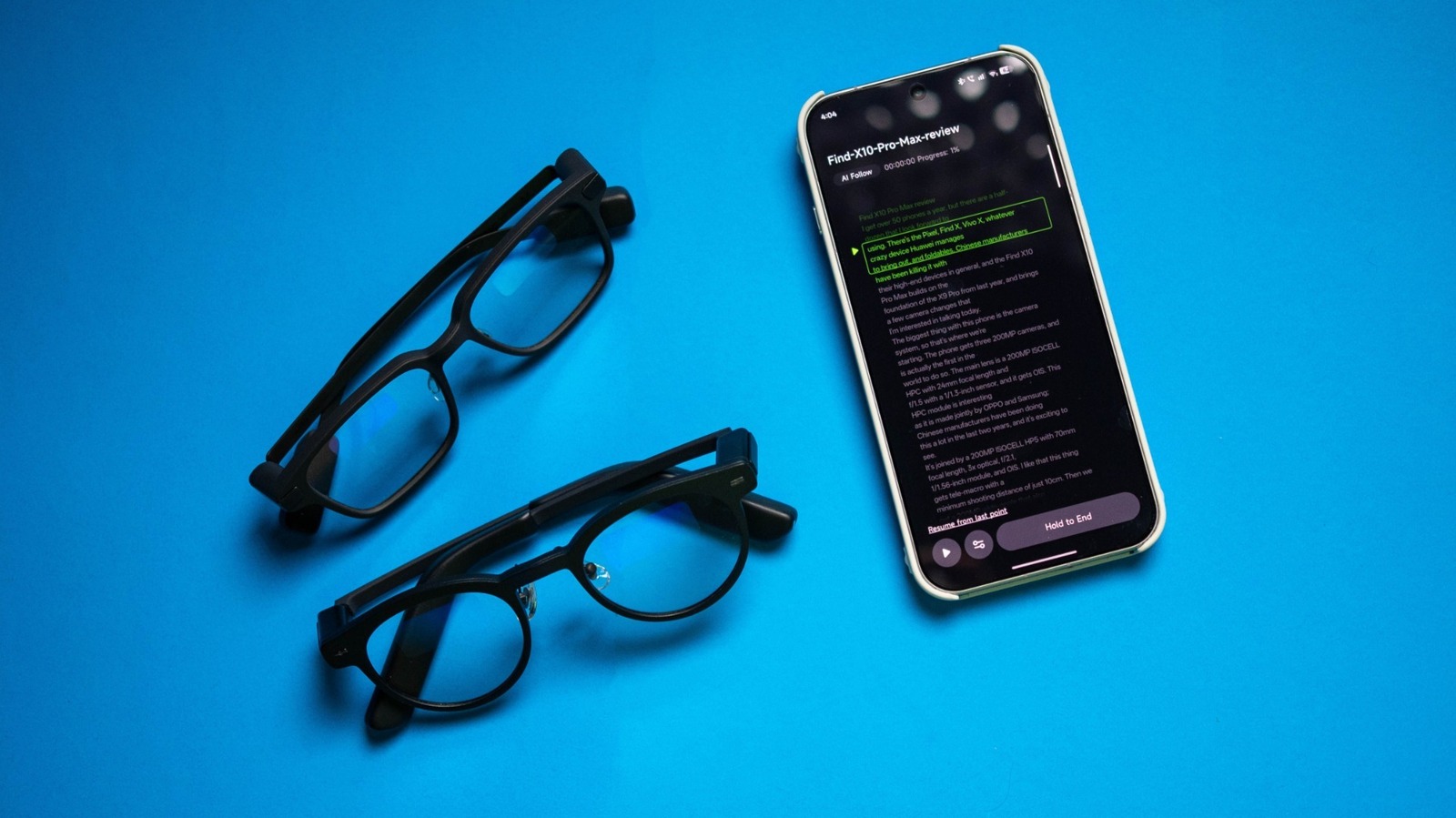
These glasses also have a built-in teleprompter mode that lets you deliver presentations or speeches while maintaining eye contact, and honestly, they're pretty good at it. As the waveguides project the screen in your field-of-view, it feels natural to use glasses as a teleprompter. I tested the MemoMind One and Even Realities G2 with this mode, and here's what you need to know.

The MemoMind One and Even G2 have a teleprompter feature that's easy to use; just load the script into the app, and you can select how fast (or slow) to scroll the text. Even's G2 reads PDF, plaintext, and DOCX files, but MemoMind One has just TXT and DOCX, with no PDF integration.
In brief

If you have the right type of smart glasses, this is an easy feature to enable. Out of all the myriad variations of smart glasses available today, the ones with built-in waveguides — such as the XGIMI MemoMind One and Even Realities G2 — have the most utility. As the waveguides project the screen in your field-of-view, it feels natural to use glasses as a teleprompter.

This is the opening of the story, shared with credit to Engadget. The rest of the report — with every detail — continues on the publisher’s website.

Continue reading at Engadget ↗

Cookie settings

Choose which cookies we may use. You can change this at any time from Cookie settings in the footer. Details of each cookie are in the Cookie Policy.

Strictly necessary

Needed for sign-in, security, payments and remembering these choices. Always on.

Preferences

Remember settings such as dark mode.

Analytics & performance

Help us count visits, understand which pages, devices and countries our readers use, and measure how well the site performs – anonymous and aggregated.

Advertising & marketing

Lets advertising partners show and personalise adverts, measure impressions, clicks and visits, prevent ad fraud and pay us – this is how the free site is funded.

🔔 News notifications

Get headlines from NewsHub on this device — even when the site is closed.

You can switch this off at any time. Works on Android, Windows, Mac and Linux browsers; on iPhone/iPad add the site to your Home Screen first.