📰 Newspapers

The Screens app will let you turn your iPhone Duo into an itty bitty MacBook

The Screens app will let you turn your iPhone Duo into an itty bitty MacBook

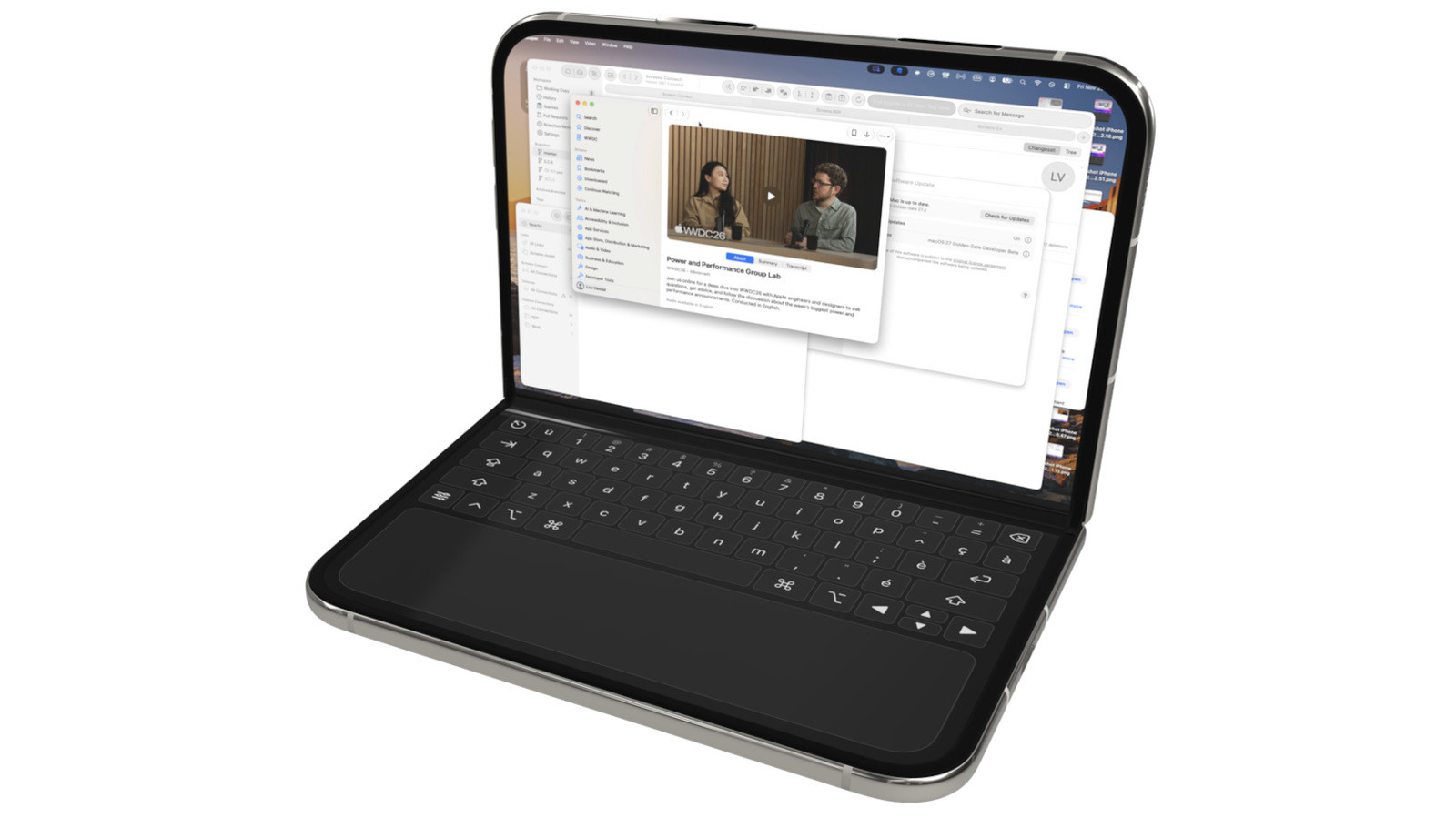
Edovia has updated its Screens remote desktop app with a new Laptop Mode for the iPhone Duo.

The app’s latest update will turn half the display into a keyboard for tiny typing.

Edovia's Screens is a remote desktop app, which gives you a way to control your computer for the iPhone, iPad, another Mac or even the Vision Pro. Screens 5.10.6, its latest update, adds the ability to turn your iPhone Duo into a tiny MacBook when it's in a partially open, clamshell configuration. When the phone is folded halfway, you can use the app's new Laptop Mode to display your remote desktop on the upper half of the screen and a keyboard with trackpad below.

Its keyboard supports multiple languages, and you can swipe down on keys to see alternative characters like you can on the iPad. The trackpad supports Screens' gestures. Of course, they're not a complete replacement for actual physical keyboards and trackpads, but they could be good enough to use in a pinch, or even regularly if you're used to typing on a screen or don't need to type anything lengthy.

The iPhone Duo's form factor is so unlike previous iPhones that we'd love to see more fun ways developers can use it to create unique experiences for the device's users. Some developers, however, might not find it that easy: Instagram's Adam Mosseri recently said that it will be "pretty challenging"


In brief

The app’s latest update will turn half the display into a keyboard for tiny typing. Edovia's Screens is a remote desktop app, which gives you a way to control your computer for the iPhone, iPad, another Mac or even the Vision Pro. Screens 5.10.6, its latest update, adds the ability to turn your iPhone Duo into a tiny MacBook when it's in a partially open, clamshell configuration. The trackpad supports Screens' gestures.

This is the opening of the story, shared with credit to Engadget. The rest of the report — with every detail — continues on the publisher’s website.

Continue reading at Engadget ↗

Cookie settings

Choose which cookies we may use. You can change this at any time from Cookie settings in the footer. Details of each cookie are in the Cookie Policy.

Strictly necessary

Needed for sign-in, security, payments and remembering these choices. Always on.

Preferences

Remember settings such as dark mode.

Analytics & performance

Help us count visits, understand which pages, devices and countries our readers use, and measure how well the site performs – anonymous and aggregated.

Advertising & marketing

Lets advertising partners show and personalise adverts, measure impressions, clicks and visits, prevent ad fraud and pay us – this is how the free site is funded.

🔔 News notifications

Get headlines from NewsHub on this device — even when the site is closed.

You can switch this off at any time. Works on Android, Windows, Mac and Linux browsers; on iPhone/iPad add the site to your Home Screen first.